Microsoft Azure

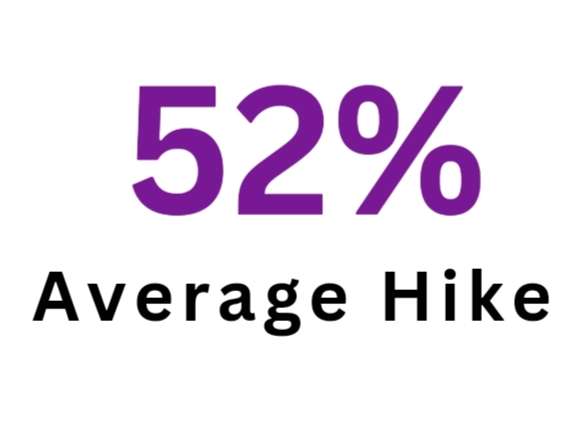
52% salary Hike

83% Happy with Outcome

1200+ Learners Have Trusted Us

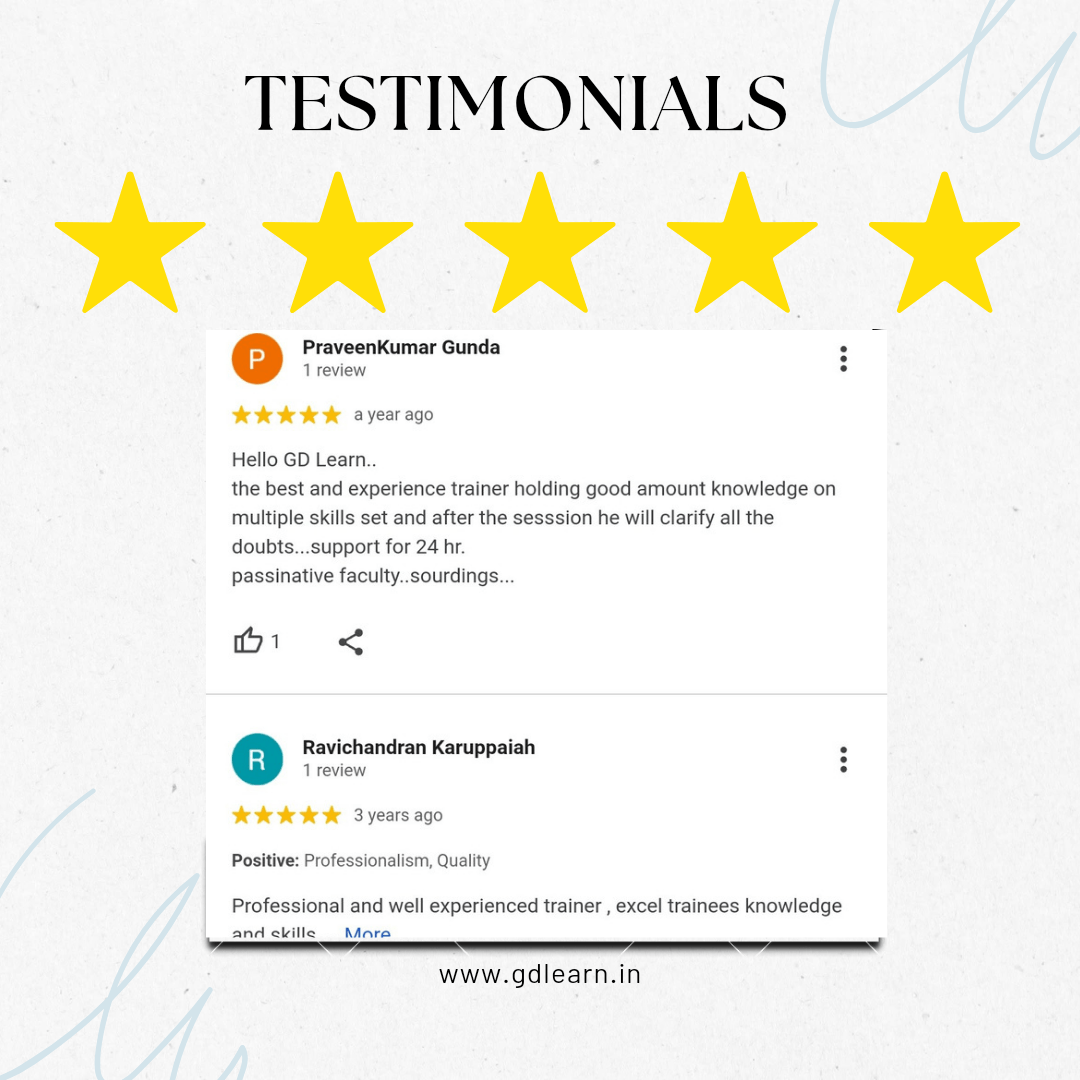
5 Rating ⭐⭐⭐⭐⭐

Microsoft Azure is a cloud computing service offered by Microsoft, providing a variety of cloud services, including computing power, storage, and networking. Azure allows users to build, deploy, and manage applications and services through Microsoft’s global network of data centers.

Microsoft Azure Certification Training Course

Microsoft Azure certifications are professional credentials that can be earned by individuals who demonstrate their skills and knowledge in using Microsoft Azure, which is a cloud computing service created by Microsoft for building, testing, deploying, and managing applications and services through Microsoft-managed data centers. Azure offers solutions for all industries through its cloud services, such as computing, analytics, storage, and networking. Users can pick and choose from these services to develop and scale new applications or run existing applications in the public cloud.

Course Content

1. Why Cloud Computing ?
2. What is Cloud Computing ?
3. What is Azure and How to Create Free Azure Account ?


4. Overview of Azure SQL Database
5. Lab: Create Azure SQL Database
6. Lab: Pricing Tiers
7. Lab: Azure SQL Virtual Machine
8. Lab: Connect and execute queries on Azure SQL Database
9. Lab: Elastic Pools
10. Lab: Active Geo Replication
11. Lab: Failover Group
12. Lab: Dynamic Data Masking
13. Lab: Auditing


14. Introduction & Creating a Data Factory
15. Lab: Building Blocks of Data Factory
16. Lab: Copy Data Activity – Scenario 1
17. Lab: Copy Data Activity – Scenario 2
18. Lab: Get Metadata Activity
19. Lab: Filter Activity
20. Lab: If – Else Activity
21. Lab: Append Activity
22. Lab: Wait Activity
23. Lab: For Each Loop Activity
24. Lab: Lookup Activity
25. Lab: Data Flow – Source
26. Lab: Data Flow – Sink
27. Lab: Data Flow – Conditional Split
28. Lab: Data Flow – Derived Column
29. Lab: Data Flow – Lookup
30. Lab: Data Flow – Select
31. Lab: Data Flow – Filter
32. Lab: Data Flow – Join
33. Lab: Data Flow – Exists
34. Lab: Parameters – Linked Services Parameters
35. Lab: Parameters – Pipeline Parameters
36. Lab: Parameters – Data Flow Parameters
37. Lab: Monitoring – Visually Monitor
38. Lab: Monitoring – Azure Monitoring
39. Introduction to Incremental Data Load
40. Lab: Implementing in Azure Data Factory V2
41. Artifacts for Tables used in the Lab session
42. Introduction to Slowly Changing Dimension Type I
43. Lab: Implementing Slowly Changing Dimension Type I in ADFv2
44. Artifacts for Tables used in the Lab session of SCD Type 1
45. Introduction to Slowly Changing Dimension Type 2
46. Artifacts for Tables used in the Lab Session of SCD Type II
47. Lab: Implementing Slowly Changing  Dimension Type 2 in ADFv2
57. Introduction to Azure Synapse
Analytics
58. Lab: Synapse Workspace & Synapse
Studio
59. Understanding Synapse SQL Pool
Architecture
60. Lab: Create Synapse SQL Pool in
Azure Portal
61. Lab: Setting up & Loading data using
Polybase
62. Lab: Load Data using CTAS
63. Lab: Load Data using Copy Into
Statement
64. Lab: Load Data using Azure Data
Factory
65. Lab: Restore Synapse SQL Pool from
Restore Point
66. Lab: Geo Backups
67. Lab: Encryption and Auditing
68. Lab: Monitoring Synapse SQL Pool
87. Introduction
88. Lab: Create Azure Databricks
Workspace
89. How to download resources like
source code or source files?
90. Lab: Components of Azure Databricks
91. Scenario Overview
92. Overview of Source and Destination
93. Lab: Extract data from source
94. Lab: Transform and Load Data
95. Lab: Jobs

TOP Companies hiring Microsoft Azure

Microsoft Azure Certification Course Overview

Microsoft Azure Certification courses are designed to help IT professionals understand cloud services that span storage, networking, and compute cloud capabilities, all within the Microsoft Azure cloud platform. These courses are tailored to equip participants with the necessary skills to implement solutions based on Microsoft Azure features and services.

Microsoft Azure Training Key Features

Skills Covered

Google Reviews

Explore Training Program

In Group

  • Learners can share insights, ask questions, and engage in discussions, fostering a collaborative learning atmosphere.
  • Courses are typically designed with a set curriculum that aims to meet the learning objectives of the group as a whole.
  • Training sessions are scheduled at predetermined times, which can help learners maintain a consistent learning routine.

One on One

  • The trainer focuses solely on one student, allowing for immediate feedback, personalized guidance, and a learning pace that suits the individual.
  • One-on-one training often comes with the flexibility to schedule sessions at times that are most convenient for the learner, accommodating their personal and professional commitments.

Weekend Batch

  • Classes are usually held on weekends, making it convenient for those who are busy during the weekdays.
  • Since the classes are on weekends, the training sessions might be longer than typical weekday classes, aiming to cover the syllabus efficiently over a shorter period.

More Courses